
Bravo Poker Live App: Find Cash Games & Waitlists Near You (2026 Guide)

On this page
Anyone who’s driven to a card room only to find a 90-minute wait on the $1/$3 list knows exactly why this app exists. The bravo poker app has quietly become the industry-standard way North American players check live game availability and join a waitlist before they even leave the house, and in 2026 it’s used by the overwhelming majority of poker rooms that run organized cash games and tournaments across the U.S. This guide covers how it actually works, what’s changed in the app’s most recent rebuild, and how to use it to stop wasting time sitting in a card room lobby.
What Is Bravo Poker Live?
Bravo Poker Live is a free mobile app built by Genesis Gaming Solutions that connects directly to the Bravo Poker room-management system — the same backend software poker room floor managers use to run their cash game lists and tournament clocks. Because the app pulls live data straight from that management system, what you see on your phone is the same real-time information the floor staff is looking at, not a manually updated schedule that’s an hour behind reality.
The app has been around since 2011, but it isn’t the same piece of software it was even a couple of years ago. In April 2026, Genesis Gaming Solutions pushed a full rebuild of the app — a modern interface, smoother performance, and a refreshed wait-list sign-up flow with push notification reminders, replacing what had become a fairly dated UI. If you tried Bravo years ago and wrote it off as clunky, it’s worth another look; the current version (build 403, roughly 51 MB) is a meaningfully different experience.
One important caveat that trips people up: Bravo only shows information for poker rooms that actually run the Bravo backend system. If your local card room uses a different management platform, or runs waitlists on paper, it simply won’t appear in the app. It’s a comprehensive directory of Bravo-connected rooms, not every card room in existence.
What You Can Actually Do With the App
At its core, Bravo Poker Live handles four jobs for a player:
- See live cash games in real time. You can check exactly which games are currently running at a room, stakes, game type, how many seats are open, without calling ahead or driving over blind.
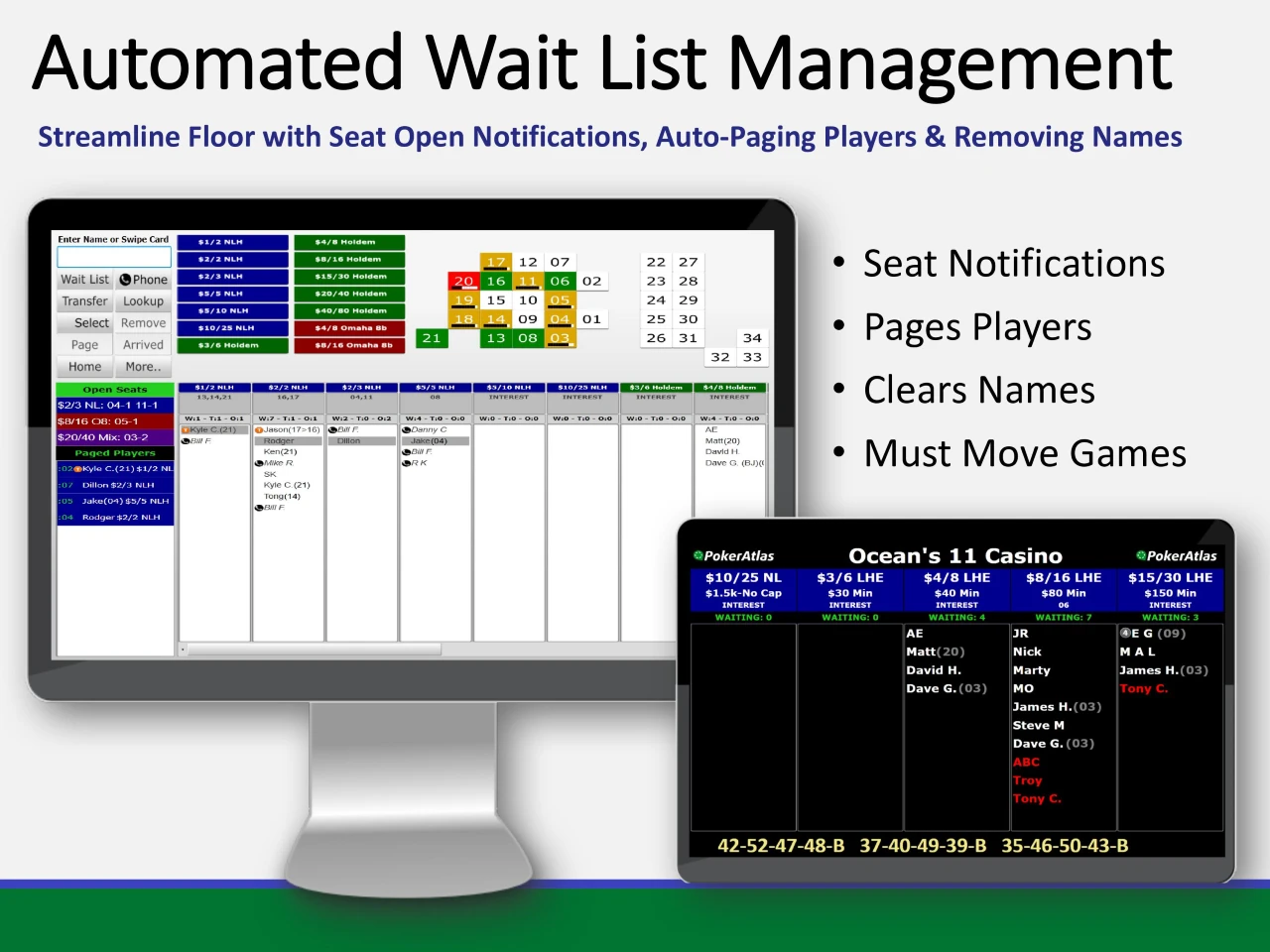
- Join a waitlist remotely. At participating rooms, you can add your name to a cash game list from your couch, then time your arrival around your position in the queue instead of walking in the cold.
- Track tournament clocks and schedules. Blind levels, players remaining, and break timing are all visible for tournaments run through the Bravo system, along with upcoming tournament schedules and buy-in structures.
- Browse room details and promotions. Each participating room’s page includes location, contact info, and any current promotions the room is running.
The favorites feature is worth setting up on day one. Star the two or three rooms you actually play at regularly, and they’ll sit right on your home screen — no searching by location or scrolling through a directory every time you want to check the list.
Real 2026 Usage & Platform Data
A few current data points worth knowing if you’re deciding whether the app is worth installing:
| Metric | Current Data (2026) |
| Google Play installs | 100,000+ downloads |
| Google Play rating | ~3.0 / 5 |
| Latest app version | Build 403 |
| Last major update | April 2026 (full UI rebuild) |
| App file size | ~51.3 MB |
| Content rating | High Maturity |
| Platform availability | iOS, Android, Amazon Appstore, web |
| Cost | Free |
The 3.0-star average is worth being honest about rather than glossing over — it reflects a real mix of experiences. Long-time users who’ve stuck with the app tend to praise the core waitlist function, while lower ratings often cite account/player-card linking issues on older builds. The April 2026 rebuild specifically targeted usability complaints, so recent reviews skew more positive than the app’s historical average suggests. It’s the kind of tool where the honest recommendation is “install it, it’s free, and it solves a real problem” rather than “it’s a flawless five-star app.”
How Room Coverage Actually Works in Practice
The best way to understand Bravo’s real-world reach is to look at how it plays out in a specific market. Take Houston as an example: local players report that virtually every organized card room in the metro area runs on the Bravo system, with one notable exception (a room that isn’t on the Bravo or PokerAtlas registry at all). That’s a useful pattern to recognize — in most major U.S. poker markets, if a room isn’t listed on Bravo, that’s often a signal they’re running an older or informal system, and your waitlist experience there will likely be less predictable than at a Bravo room.
This is also where the app earns its keep as a genuine live poker waitlist app rather than just a room directory. The value isn’t in browsing — it’s in the fact that you can queue for a seat at a room 20 minutes before you arrive, or even queue at two rooms simultaneously and take whichever seat opens first, then cancel the other. That single feature can save you the better part of an hour on a busy weekend night.
How to Set Up and Use Bravo Poker Live
Getting started takes about five minutes:
- Download the app from the App Store, Google Play, or Amazon Appstore — it’s free on all three.
- Allow location access so the app can surface nearby rooms automatically, or search manually by zip code if you’d rather not share GPS data.
- Create an account with your name and phone number — this is what ties your waitlist position to you when a room calls your name.
- Favorite your regular rooms by tapping the star icon so they appear on your home screen without searching.
- Tap into a room, select your game (for example, $1/$3 No-Limit Hold’em), and tap “Get on list” to join the queue remotely.
- Watch for notifications. Some rooms offer a call-in hold window (commonly around 30 minutes) once you reach the top of the list; others simply keep you on the list until you check in physically at the podium.
That last point matters: policies vary room to room, so it’s worth asking the front desk once how their specific hold policy works the first time you use the app at a new location.
Practical Tips for Getting the Most Out of It
A professional-level approach to using Bravo goes a bit further than just installing it:
- Queue before you leave, not when you arrive. The entire value of remote wait-listing evaporates if you only open the app once you’re already in the parking lot.
- Check multiple stakes, not just your usual game. A room might be jammed on $1/$3 with a 90-minute wait but wide open on $2/$5 or $1/$2 PLO — the app makes it trivial to compare instantly.
- Use it to compare rooms before choosing where to go. If you’re within driving distance of two or three card rooms, pulling up live game counts across all of them takes thirty seconds and can save you a wasted trip entirely.
- Set favorites for every room you might realistically play at, not just your primary spot — it costs nothing and means you’re never stuck manually searching mid-decision.
- Don’t assume a room not listed has no games. It just means that specific room isn’t running the Bravo backend — a quick phone call is still the right move there.
Final Takeaway
The Bravo Poker app isn’t flashy, and its overall app-store rating reflects a tool that’s still shaking off some of its older rough edges, but the core function it performs is genuinely useful and, for players in markets with heavy Bravo adoption, close to essential. Being able to check real-time game availability and join a waitlist before you even get in the car is a small thing that adds up to a lot of saved time over a year of regular play. With the April 2026 rebuild bringing a cleaner interface and better notification handling, it’s a good time to give it another look if you haven’t opened it in a while.
Looking for more ways to plan your next live session smarter? PokerClubGames covers strategy, room comparisons, and tools worth knowing about across the poker world, check out our full guide library at pokerclubgames.com before your next trip to the tables.
FAQs
Q: What is the Bravo Poker app used for?
The Bravo Poker app lets players check real-time cash game availability, join waitlists remotely, and track tournament schedules and clocks at any poker room running the Bravo Poker management system.
Q: Is the Bravo Poker Live app free?
Yes. It’s free to download and use on iOS, Android, and Amazon Appstore, with no subscription required to view games or join waitlists.
Q: Does every poker room show up on Bravo Poker Live?
No. Only rooms that use the Bravo Poker backend management system appear in the app. Rooms running a different system, or managing waitlists manually, won’t be listed.
Q: Can I join a poker waitlist remotely before arriving at the casino?
Yes, at participating rooms you can add your name to a cash game or tournament waitlist directly from the app before you leave home, then track your position and arrive when your seat is close to open.
Q: How current is the information shown in the app?
The app pulls data directly from the same Bravo management system poker room staff use on the floor, so game availability, waitlist position, and tournament clocks reflect real-time updates rather than a manually maintained schedule.
Q: What changed in the 2026 Bravo Poker Live update?
In April 2026, Genesis Gaming Solutions released a full rebuild of the app with a modernized interface, smoother performance, and improved waitlist sign-up and push notification features, addressing many of the usability complaints from earlier versions.
Disclosure: PokerClubGames may earn a commission when you use links to poker operators. This never changes the price you pay. 18+ (21+ where required). Gambling involves risk. How we make money